KPM Quick Start Guide
Learn how to create your first AI ImageGen prompt with KPM in minutes.
Four Simple Steps (and a new feature, Workspaces!)
Create a New Prompt
Use our prompt editor to build your perfect AI ImageGen prompt. You have two options:
Option A. Use the AI Prompt Builder
Describe what you want to create and our AI will generate a complete prompt with styles, lighting, and parameters. Just click the button, type your idea, and let AI do the heavy lifting. You can then refine the prompt in the editor or try it right away. You can even ask for Surprise! random prompts.
Try AI Prompt Builder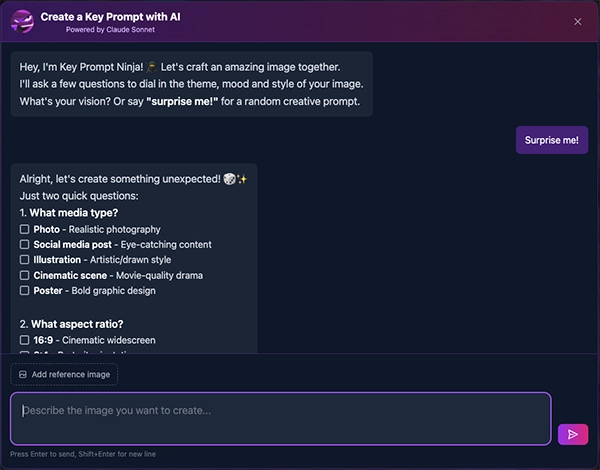
Option B. Check out Example Prompts and Build Your Own
Try our free editor and click the example button to load pre-built prompts and see how they work. Use as starters, build your own, or check out our Gallery for access to hundreds of prompts that can be cloned and iterated on.
See the Examples →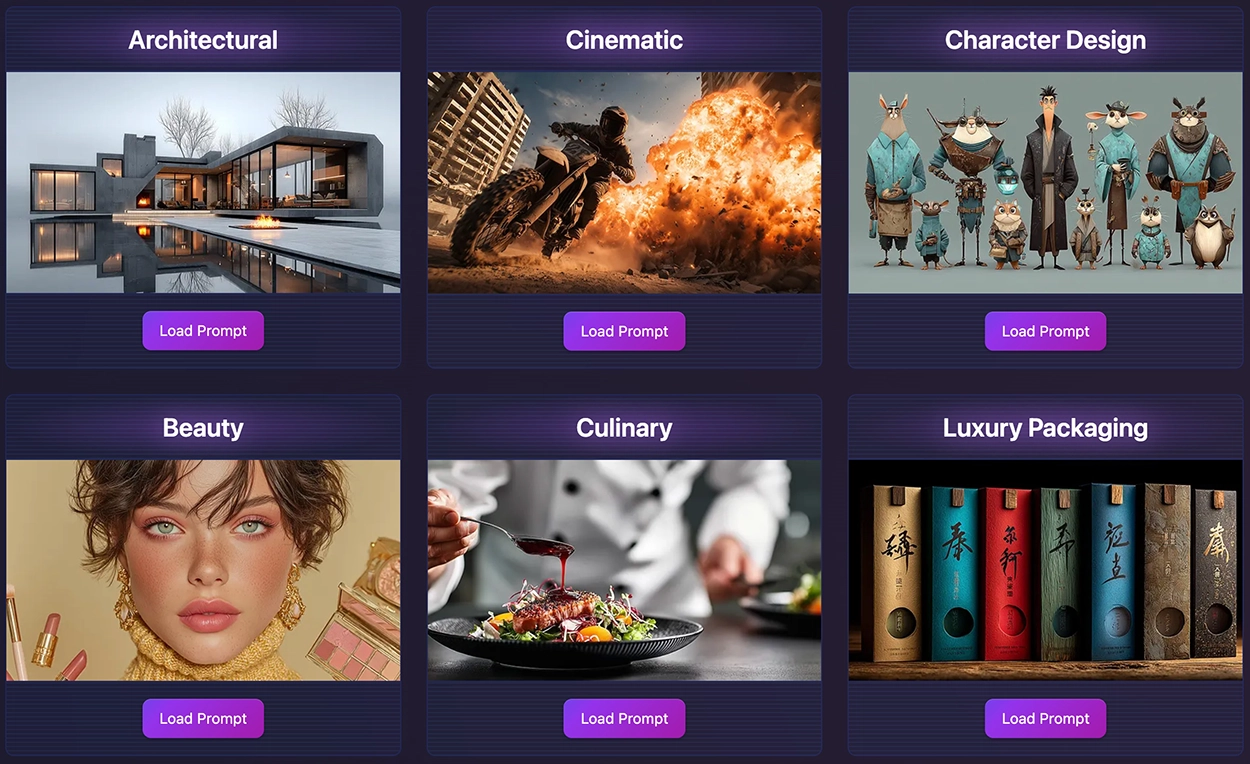
Get Familiar With the Editors
The KPM Editor is your command center for crafting the perfect AI ImageGen prompt. If using Free MJ Prompt Editor 2.0, you craft for Midjourney images. Pro Editor 3.0 brings the ability to set parameters and new camera controls for Midjourney Video and 30 other AI ImageGen models (image & video).
In general, all editors are organized into three major sections that give you complete control over your creative vision:
Base Prompt (Text Input)
Start with your creative vision. Describe your subject, scene, mood, or concept using natural language. This is the foundation that the AI model will interpret and transform into imagery. You can be as detailed or minimal as you like—the AI Prompt Builder can help expand your ideas.
Midjourney parameters for image in Editor 2.0 and 26 Model Parameters in Pro Editor 3.0 including video
Fine-tune your generation with Midjourney's powerful parameters. Adjust aspect ratio for different compositions, control stylization intensity, set chaos/variety levels for creative variation, configure weirdness for experimental results, and choose your preferred Midjourney version—all through intuitive dropdown menus and sliders.
17 KPM Style Categories with 1,500+ Styles starting with 100+ Themes
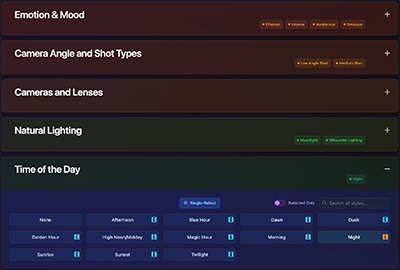
Explore our curated collection of style options across 17 categories including Theme, Art Style, Photography, Lighting, Mood, Color Palette, Camera Angle, Texture, Time Period, Artist Influence, and more. Each category contains carefully selected options that combine to create professional, cohesive prompts without memorizing complex terminology.
a. Type your base prompt
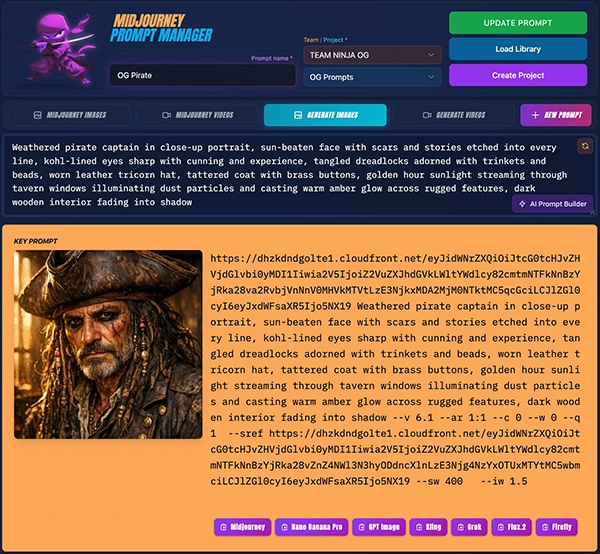
b. Adjust your parameters
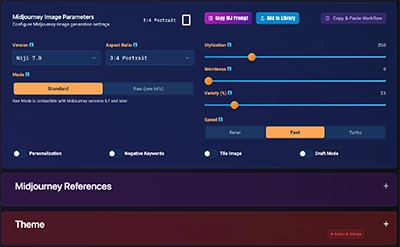
c. Select themes, styles or add refs
Want to save your prompts? Sign up for free.
Create a community account here →Copy & Paste your prompt into Midjourney or generate in app with 30 models (see below).
Use the copy buttons to quickly export your prompt to Midjourney, Nano Banana Pro, GPT Image, Kling, Grok, FLUX, Firefly, and more. Perfect for quick one-offs when you just need a prompt with styles and basic parameters.

For Midjourney (Web or Discord):
- 1. Click the Midjourney copy button (check "Add /imagine" for Discord)
- 2. Paste into Midjourney Web UI or Discord channel
- 3. Submit and watch your image generate!
For other models:
Click any model's copy button to get your prompt formatted for that platform. These exports include your base prompt, styles, and basic parameters—great for quick generations. Note that reference images (style refs, character refs) are Midjourney-specific and won't transfer to other models.
Want full control with reference images?
For in-app image and video generation with reference image control, style refs, character refs, and advanced parameters, check out the full editor experience.
Want to Generate in KPM? Try one of our 30 available in app!
We also support in-app image and video generation in the Editor and Workspace. They include many of the most popular models and we'll be adding new ones as they become available.
Free tier: Purchase AI credits (starting at $5) to test any model
Community/Creator/Studio: Get monthly AI credits included (75, 1,500 or 4,000)
Models: Nano Banana Pro, FLUX, GPT Image, Kling, Veo, Sora, Luma, and more
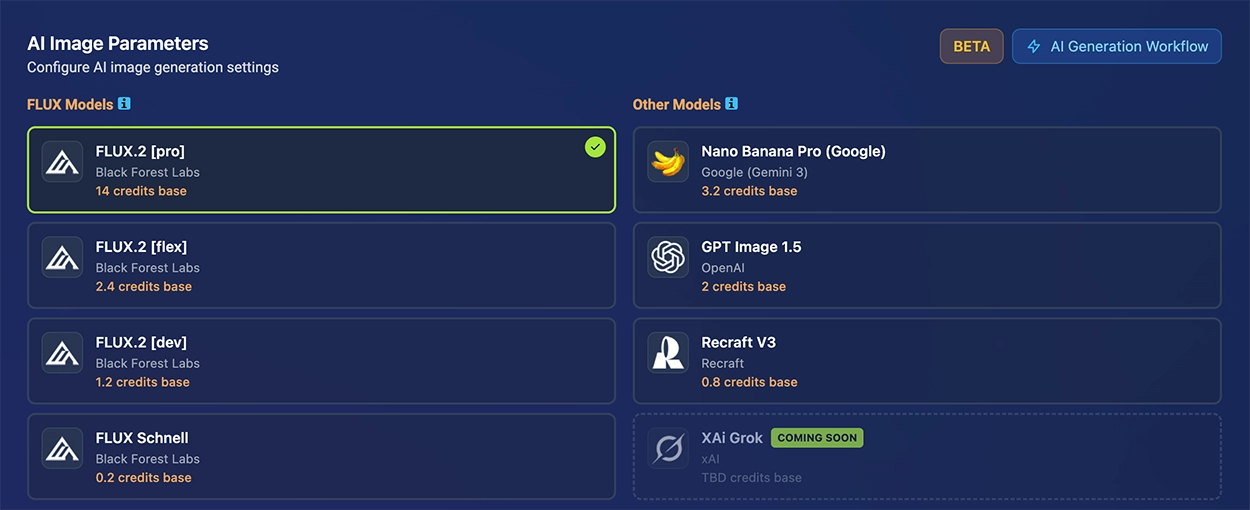
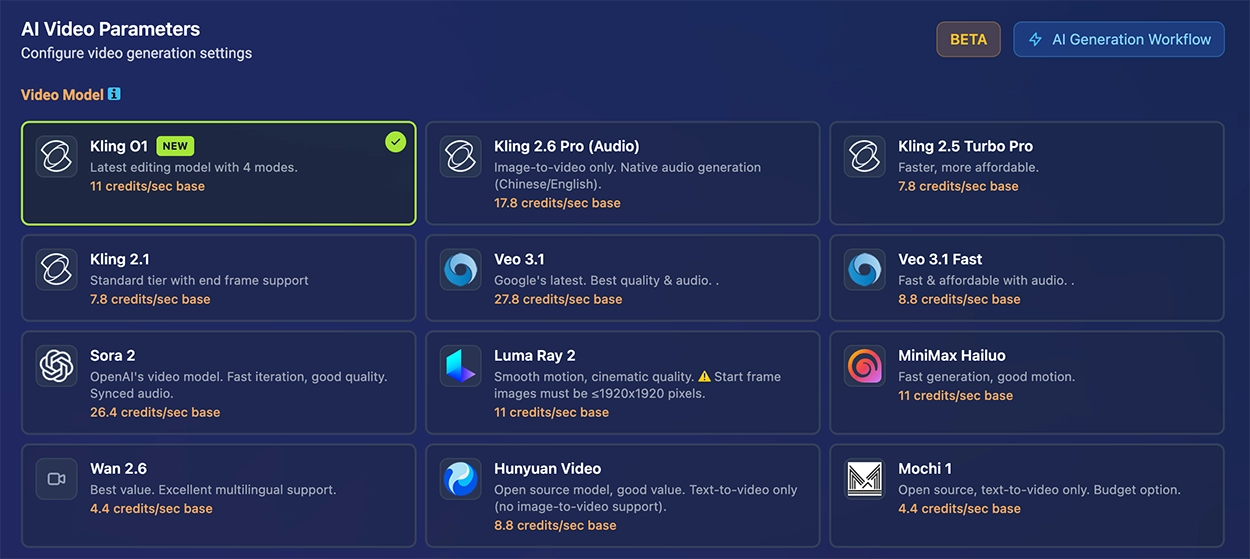
Explore the Project Workspace
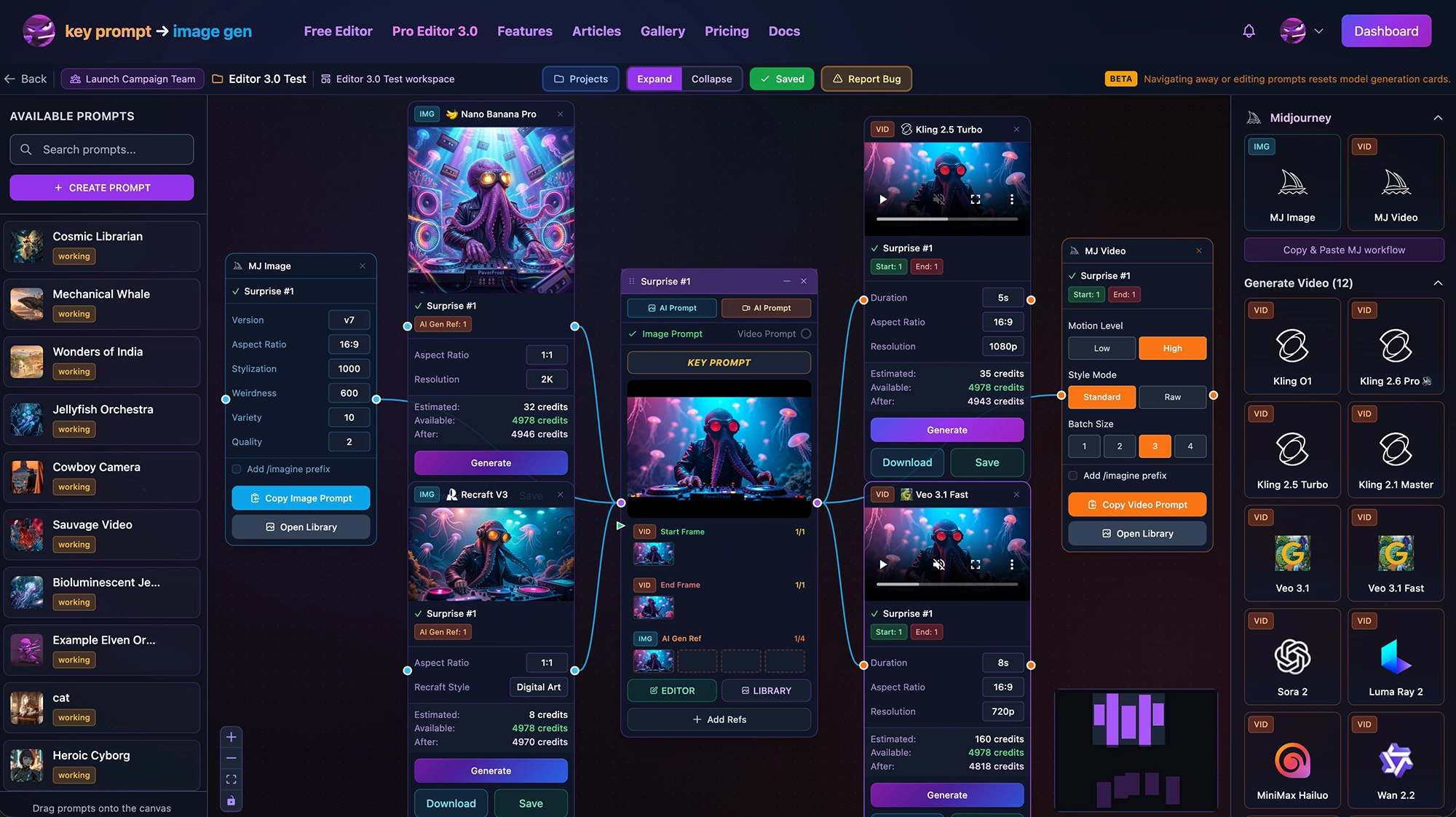
NEWAccess your project's visual workspace for an intuitive canvas-based interface to manage prompts, references, and AI generations.
Major Workspace Features:
- Visual Prompt Organization: Arrange prompts as nodes on a canvas with drag-and-drop positioning and multiple layout support
- Color-Coded Reference System: 8 reference types (Style, Character, Omni, AI Gen, Video frames) with visual connection management
- Dual Generation Workflows: MJ cards for Discord copy-paste + AI Gen cards for in-app fal.ai generation (6 image models, 10 video models)
- Quick AI Integration: AI Prompt buttons on every node for instant prompt generation, plus Key Prompt viewer for full parameter inspection
- Real-Time Credit Tracking: See estimated costs before generation with Available/After balance display
Video Tutorials
Watch how we're using Workspaces and the AI Prompt Builder to use a few advanced features with two Kling models.
Key Features to Explore
The KPM Editor
Learn the editor interface where imported prompts come to life with powerful organization and management tools.
Explore the Editor →AI Prompt Builder
Chat with AI to generate professional prompts 10x faster with our built-in AI assistant.
Learn AI Prompt Builder →Project Workspace
Visual canvas for organizing prompts, managing references, and generating AI content with drag-and-drop.
Explore Workspace →Reference Image System
Master style refs, character refs, and omni refs for consistent Midjourney generations.
Learn References →Ready to Get Started?
Create your free account and start building professional AI ImageGen prompts today!
Create Free Account