February 2026 Update: The Evolution is Complete
Feb 3, 2026
The past two months have transformed MPM from a Midjourney prompt management tool into a complete multi-platform AI creative studio. Three groundbreaking features (Workspaces, Pro Editor 3.0, and AI Prompt Builder) represent the most significant update since launch.
Workspaces: Visual Prompt Organization
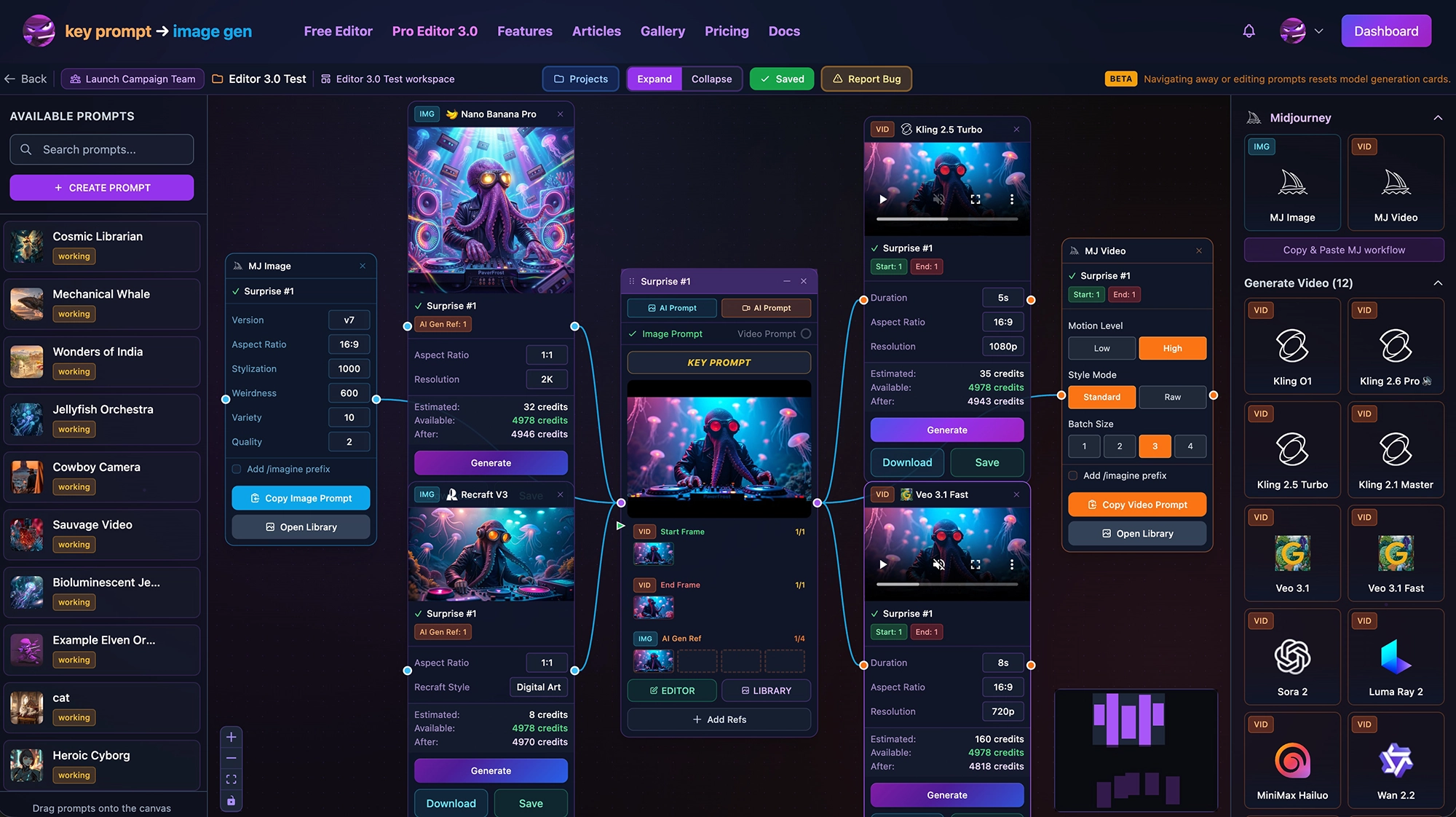
A New Way to Manage Your Creative Process
Workspaces introduces an infinite canvas for organizing your entire creative workflow. Instead of managing prompts in lists, you can now arrange them visually with drag-and-drop nodes, connect prompts to share reference images with a few clicks, and connect prompt nodes to model nodes to generate images & videos.
Key Features:
- Infinite Canvas - Organize prompts spatially with drag-and-drop nodes
- Reference Connections - Drag to connect two prompts, then add references images between them using the Add Ref button
- Multiple Layouts - Save different arrangements for different projects or workflows
- 23 AI Models - Generate images and videos directly on the canvas by dragging a model to the canvas, connecting it to a prompt, selecting parameters and clicking Generate
- Midjourney Support - Both Midourney Image models and Video Gen models are available for Copy & Paste workflows that include reference URLS (works for MJ Web UI and MJ Discord)
The Workflow Transformation:
Before Workspaces:
- Hunt for reference image URLs across multiple sources
- Copy/paste each URL manually into prompts
- Switching between tools and browser tabs
- Complicated sharing of assets within projects
After Workspaces:
- Share references images between prompts by connecting them
- Drag a connection line to your prompt to begin
- Click Add Ref, select the reference type, then add from library, prompts or upload (including Discord Links direct import)
- Click Upload to add a reference to the library or import from Discord without making it a reference
Pro Editor 3.0: Multi-Platform Generation
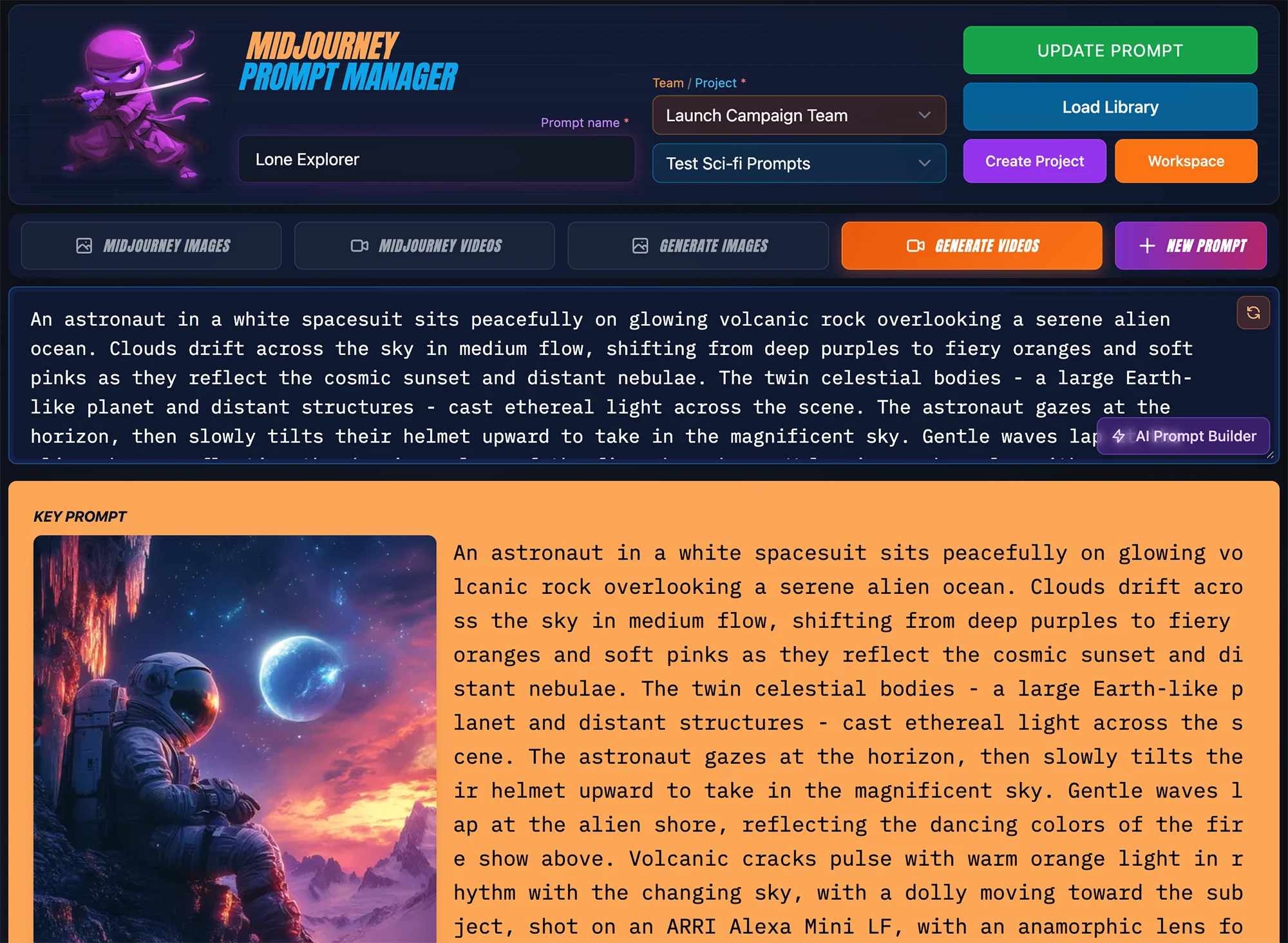
Midjourney Image & Video plus 27 AI Models for In-app Generations
Pro Editor 3.0 brings multi-platform AI generation directly into MPM. Generate images and videos with 27 AI models without leaving the platform, or continue copying prompts to Midjourney. Your choice.
Image Generation (12 Models):
- FLUX.2 Pro - High-quality general purpose generation
- FLUX.2 Flex - Flexible generation with reference support
- FLUX.2 Max - Maximum quality FLUX generation
- FLUX.2 Dev - Fast iterations with solid quality
- FLUX Schnell - Ultra-fast generations
- Nano Banana Pro - Google Gemini 3 Pro image generation
- Nano Banana 2 - Google Gemini 3.1 Flash image generation
- GPT Image 1.5 - OpenAI's latest image model
- Grok Imagine - xAI's image generation model
- Kling Image 3.0 - Kuaishou's image generation
- Seedream 5.0 Lite - ByteDance's reasoning-guided image model
- Recraft V3 - Professional illustrations and vectors (SVG output)
- Midjourney Image - Copy-ready prompts for MJ Web UI and Discord
Video Generation (13 Models):
- Kling 2.6 - Professional quality with audio support
- Kling 2.5 Turbo - Fast Kling generations
- Kling 2.1 Master - High-quality Kling output
- Kling O1 - Element references for characters, items, and themes
- Veo 3.1 - Google's latest video model with audio (up to 4K)
- Veo 3.1 Fast - Faster Veo generations
- Sora 2 - OpenAI's video generation
- Luma Ray 2 - Smooth motion with creative control
- Hailuo 02 - Efficient video generation
- Wan 2.6 - High-quality with negative prompts
- Hunyuan Video - Tencent's video model
- Mochi 1 - Fast video iterations
- Midjourney Video - Copy-ready video prompts for Discord
Professional Controls:
- Xtreme Camera Controls - Camera movements, angles, and shot types for video
- Resolution Options - Standard, HD, 1.5K, and 4K (model dependent)
- Reference Image Support - Includes five MJ reference image types, up to 14 ref images for AI Gen prompts
- Kling O1 Elements - Add up to four character, item, or theme references
- Start/End Frame Control - Image-to-video with precise frame selection
AI Credit System
The credit system is designed for professional workflows with transparent pricing:
Monthly Subscription Plans:
- Creator Plan: $19/month with 1,500 credits
- Studio Plan: $39/month with 4,000 credits
- Community (Free): 75 credits/month to try the platform
One-Time AI Credit Packages (Never Expire):
- Top Up: 500 credits for $5 ($0.010/credit)
- Standard: 1,500 credits for $12 ($0.008/credit)
- Pro: 5,000 credits for $35 ($0.007/credit)
- Agency: 15,000 credits for $90 ($0.006/credit)
Purchased credits never expire and provide better per-credit pricing at higher tiers.
AI Prompt Builder: Powered by Claude Sonnet 4.5
A DETAILED PROMPT IN SECONDS!
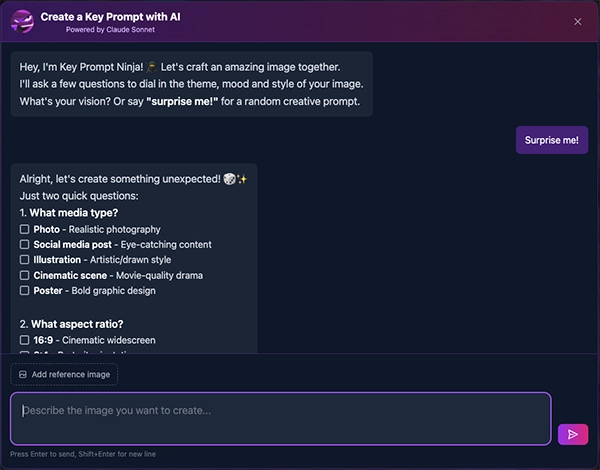
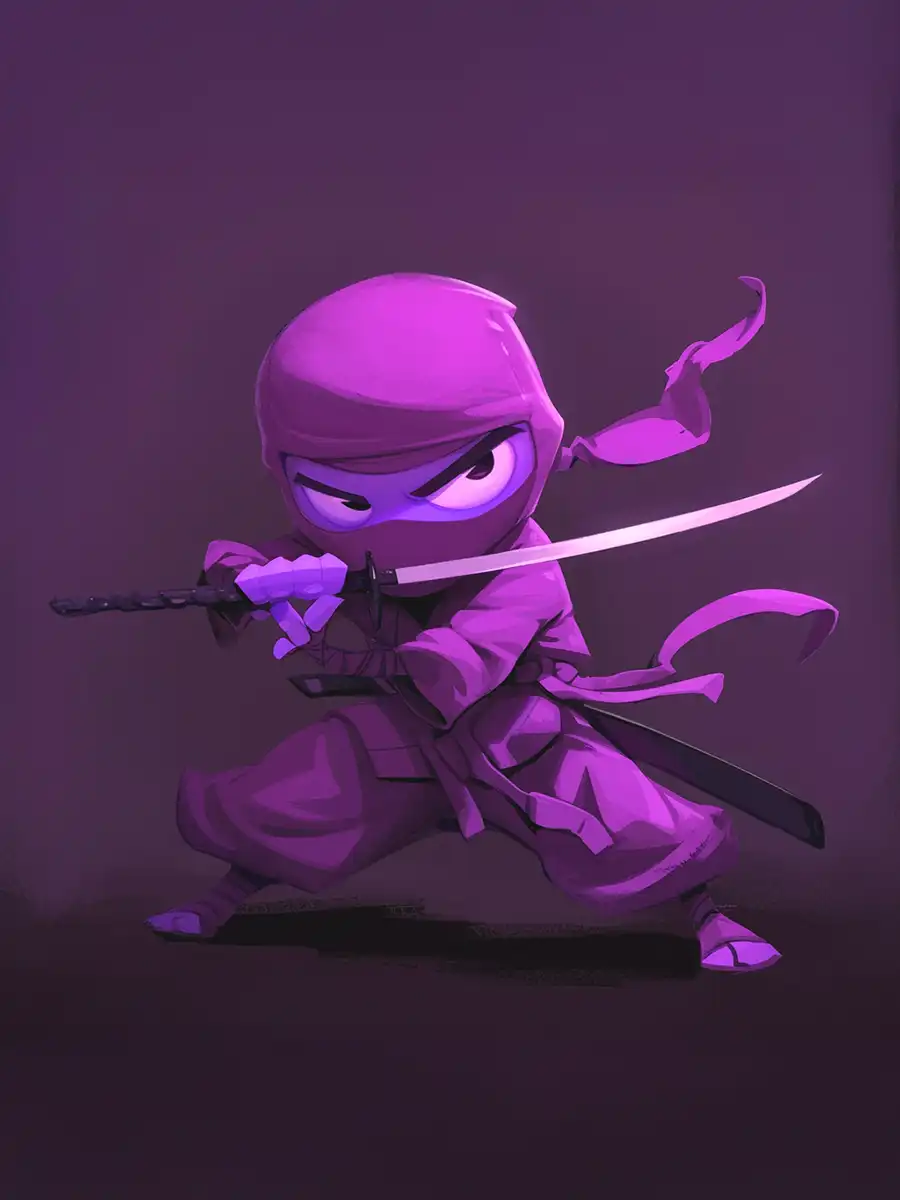
Host: Key Prompt Ninja
Natural Language Prompt Generation
The AI Prompt Builder transforms how you create prompts. Instead of manually selecting from 1,430+ style options, describe what you want in natural language and let Claude Sonnet 4.5 build sophisticated prompts in seconds.
How It Works:
- Describe Your Vision - Type a natural language description of what you want
- Reference Analysis - Upload reference images for style direction
- AI Generation - Claude Sonnet 4.5 crafts a professional prompt using all available style options
- One-Click Import - Add directly to Pro Editor or Workspaces
Key Capabilities:
- Style Library Access - Full access to 1,430+ curated styles across 26 categories
- 144 Theme Options - Period-specific, cultural, and contemporary aesthetics
- Xtreme Camera Controls - Camera movements and shot types for video prompts
- Context-Aware - Understands your existing prompts and reference images
The Power of Natural Language:
Traditional Workflow:
- Browse 26 style categories
- Compare hundreds of options
- Manually combine compatible styles
- 5-10+ minutes for manual prompt creation
With AI Prompt Builder:
- "A cyberpunk street scene at night with neon reflections and a lone figure"
- Claude analyzes your description and asks key questions about the aesthetic you're going after
- Selects optimal theme, lighting, color treatment, and mood
- Complete prompt in seconds ready to generate with correct parameters and reference image URLs
Infrastructure & Reliability
Professional-Grade Platform
Behind the features, significant infrastructure work ensures reliability at scale:
- AWS CloudFront CDN - Fast, reliable asset delivery worldwide
- CloudFront Conversions - Efficient conversion to webp image URLs to speed up delivery of assets
- Live Updates - Work across editor or workspaces with real-time updating
- Comprehensive Error Handling - Categorized error display with automatic credit refunds
Key Prompt Advantage
One Prompt - Multiple Platforms
MPM understands model parameters so you don't have to. Create one prompt for an image or video, then use the editors or workspace to select the model you want to generate from. MPM intelligently adapts the prompt to match each model's inputs. No memorizing or looking up complex rules for each model as you generate.
- In-App Generation - Generate directly with 27 AI models with full parameter and reference image URL support
- Midjourney - Copy prompts for MJ Web UI or Discord (add "/imagine" with one click)
- Any Platform - Text prompts work everywhere (note: many external platforms do not support reference URL input)
No model lock-in. Generous free tier. Your prompts, your control.
What's Next
The Roadmap Continues
With the foundation of Workspaces, Pro Editor 3.0, and AI Prompt Builder in place, upcoming features will build on this platform:
- Team Leader Credit Allocation - Distribute credits across team members
- Grok Imagine - Adding xAI's image generation model
- Video Gallery - Dedicated gallery for generated videos
- More Kling O1 Options - Expanded element reference capabilities
Get Started
Ready to experience the evolution?
- Try AI Prompt Builder - Opens the AI builder directly
- Try Editor 3.0 - Explore all 27 AI models
- Workspaces Guide - Learn the new visual workflow
Thank you for being part of the MPM journey. Your feedback shapes every feature we build.